

Description
Archivist AI adds an AI search chatbot to your WordPress site that answers readers’ questions using only your own published articles. Readers ask in plain language — “What’s been written about food retail trends since January?” — and get a short answer with numbered citations and links back to the source articles.
It’s built for publishers, magazines, news sites, trade publications and content-heavy blogs: years of articles become searchable by meaning, not just keywords. No hallucinated facts — if your archive doesn’t cover a question, the chatbot says so.
For your readers:
- Anonymous — no account, no login, no signup wall
- Multi-turn chat with follow-up questions
- Every answer cites the original articles
For you:
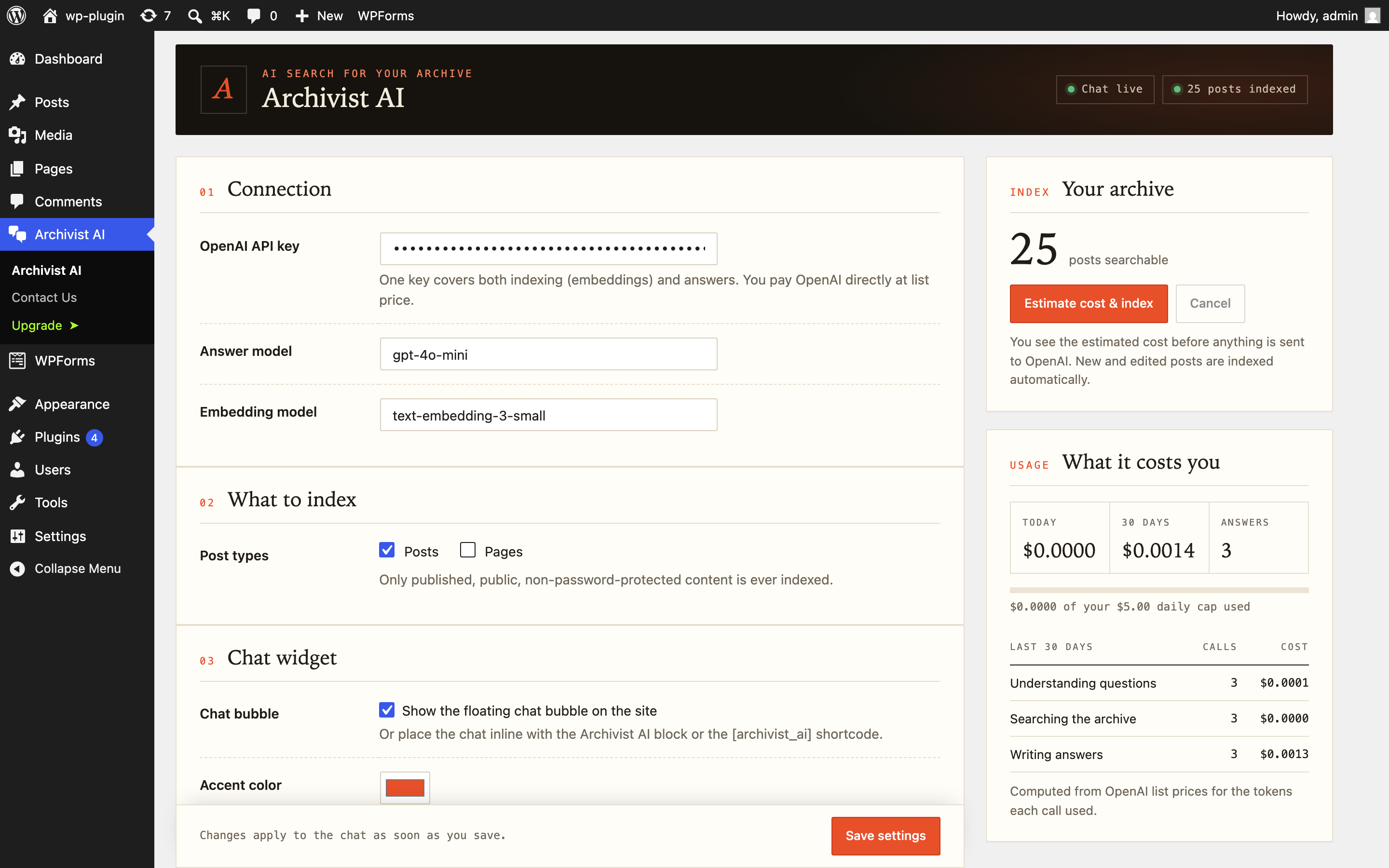
- Five-minute setup: paste one OpenAI API key, click Index, done
- Embeddings stored in your own WordPress database — no external vector database, no extra services
- Cost estimate shown before indexing starts
- Daily spending cap and per-visitor rate limiting built in
- You pay OpenAI directly at list price — no markup, no middleman
- Only published, public posts are ever indexed
- Works with posts, pages and custom post types
- Floating chat bubble, or place the chat inline with a block or the
[archivist_ai]shortcode - Date-aware search: “last month”, “in 2024” and “since January” become real date filters
- Answers stream in word by word
Free and Pro
The free version is complete: it indexes your entire archive with no limit on the number of articles, includes the full cost and usage dashboard, the daily spending cap, rate limiting, and all placements.
Pro adds features for publishers who want more:
- Reader questions report — the most-asked questions, and the ones your archive could not answer (ideas for what to write next), with CSV export
- Custom fields and taxonomies in search — make ACF fields, custom fields, categories and tags searchable, e.g. a product’s price or an event’s venue and date
- Answer instructions — your own tone, language and house rules for every answer
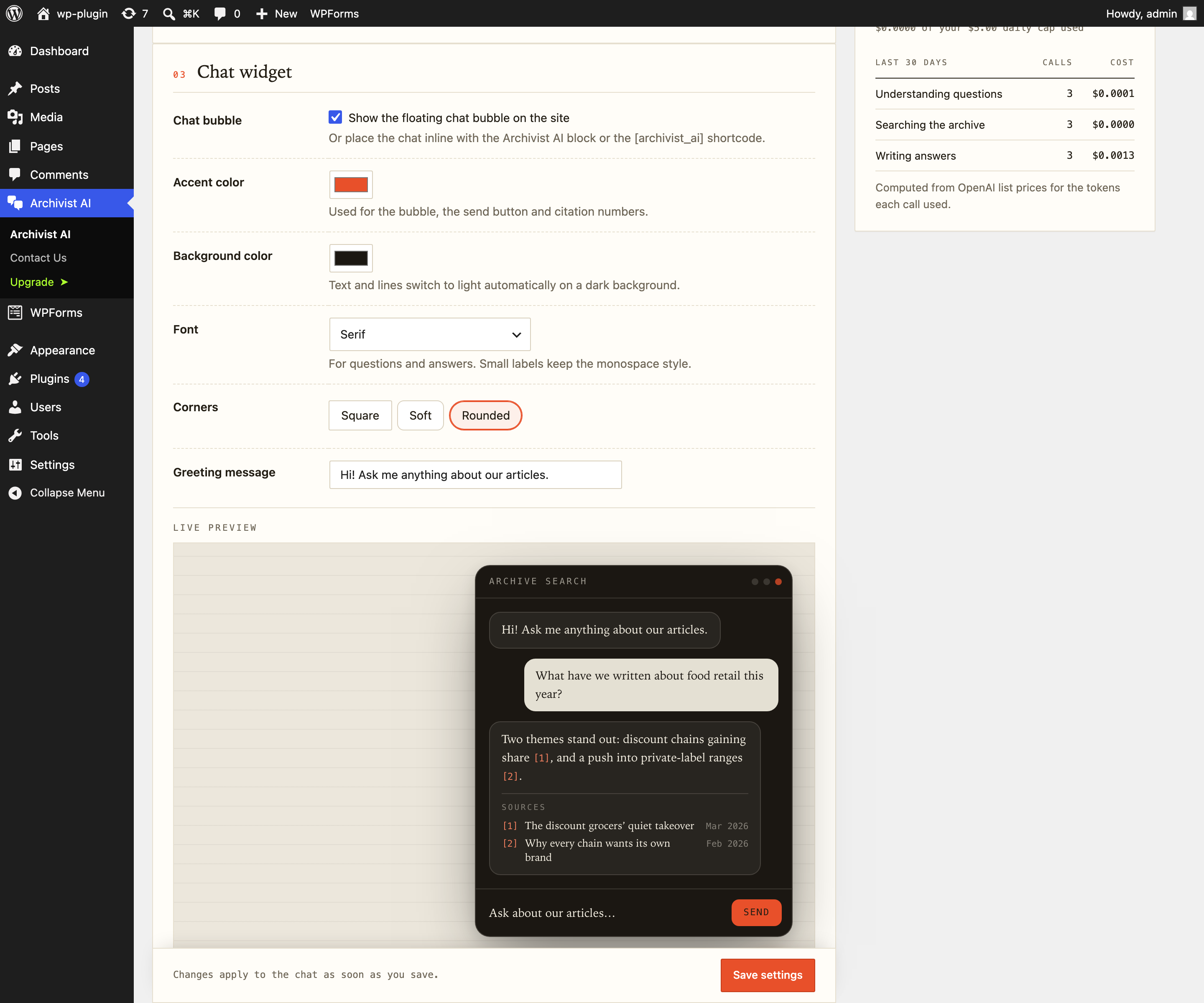
- Full styling — background color, font and corner style
- Answer caching and subscriber-only mode
External services
This plugin connects to the OpenAI API (api.openai.com) to provide its core functionality. It is not usable without it.
What is sent and when:
- When you index your content (manually from the admin, or automatically when a post is published/updated), the text of your published, public posts is sent to OpenAI to generate embeddings.
- When a visitor asks a question in the chat, the question text (and the recent turns of that conversation) is sent to OpenAI to interpret the question and generate an answer based on your indexed articles.
- No personal data about visitors (names, emails, IP addresses, accounts) is sent to OpenAI. Drafts, private posts, and password-protected posts are never sent.
The site owner provides their own OpenAI API key and is billed by OpenAI directly. This service is provided by OpenAI: Terms of Use, Privacy Policy, API data usage policy.
This plugin also uses the Freemius SDK for licensing and (strictly opt-in) usage tracking. No data is sent to Freemius unless the site administrator explicitly opts in: Freemius Privacy Policy, Terms.
Screenshots
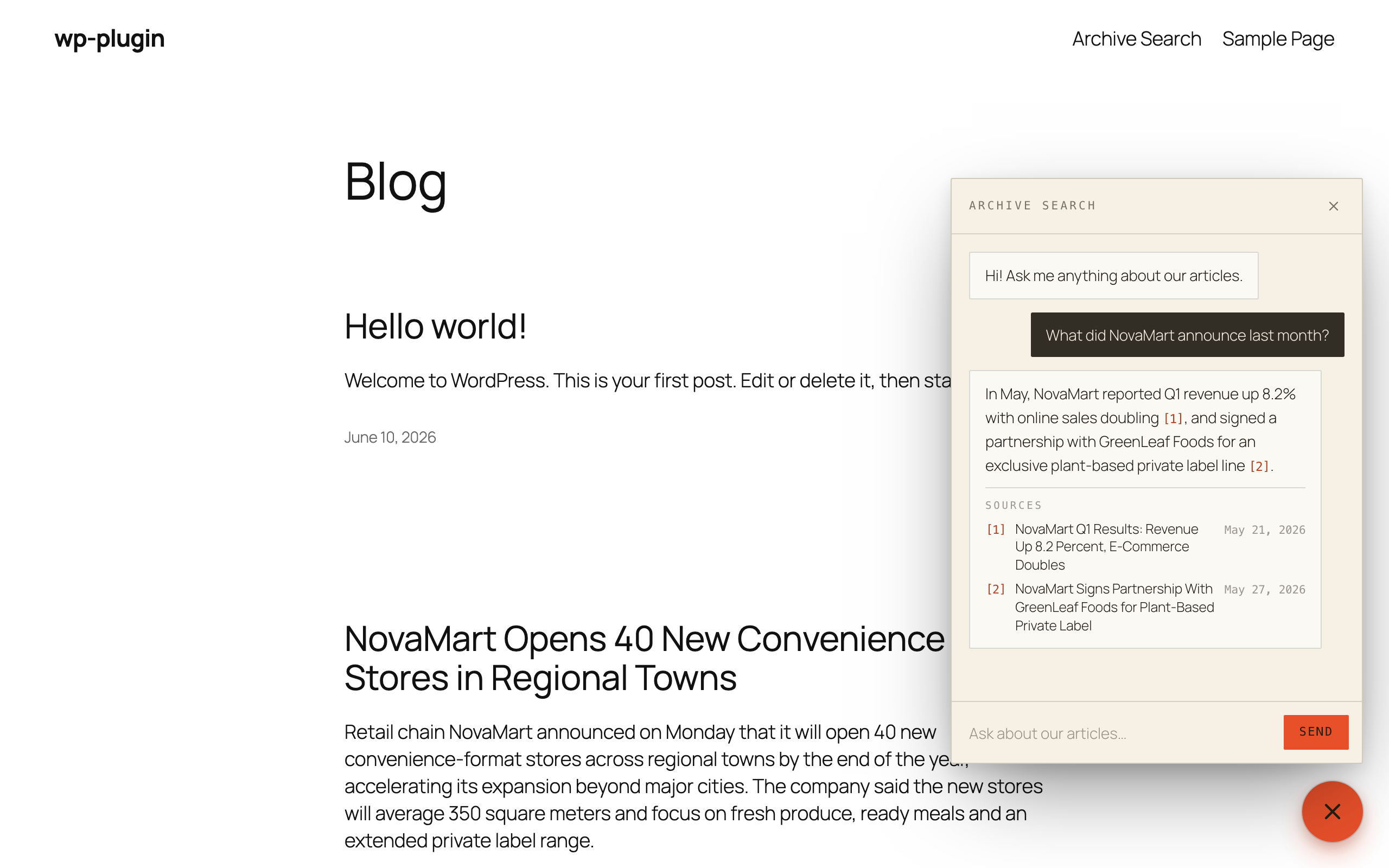
![Place the chat inline on any page with the Archivist AI block or the [archivist_ai] shortcode.](https://ps.w.org/archivist-ai/assets/screenshot-2.png?rev=3748265)
Blocks
This plugin provides 1 block.
- Archivist AI Chat
Installation
- Upload the plugin and activate it.
- Go to Archivist AI in the admin menu and paste your OpenAI API key.
- Choose which post types to index and click “Estimate cost & index”.
- The chat bubble appears on your site once indexing completes.
FAQ
-
Is there a limit on how many articles the free version indexes?
-
No. The free version indexes your whole archive. Pro adds extra features (reader-questions report, custom fields, answer instructions, styling); it does not unlock more articles.
-
Do my visitors need an account?
-
No. Visitors chat anonymously. Rate limiting works per IP/session, never by forcing login.
-
What does it cost to run?
-
You pay OpenAI directly on your own API key. Indexing a typical archive costs well under $1; ongoing chat costs are roughly $1–3 per 1,000 chat turns with the default model. The plugin shows an estimate before indexing, tracks all spend, and lets you set a daily cap.
-
Does it need an external vector database?
-
No. Embeddings are stored in a custom table in your WordPress MySQL database.
-
Can drafts or private posts leak into answers?
-
No. Only published, public, non-password-protected posts are indexed, and post status is re-checked at answer time.
Reviews
There are no reviews for this plugin.
Contributors & Developers
“Archivist AI – AI Search & Chatbot for Your Articles” is open source software. The following people have contributed to this plugin.
Contributors
“Archivist AI – AI Search & Chatbot for Your Articles” has been translated into 2 locales. Thank you to the translators for their contributions.
Translate “Archivist AI – AI Search & Chatbot for Your Articles” into your language.
Interested in development?
Browse the code, check out the SVN repository, or subscribe to the development log by RSS.
Changelog
0.7.0
- New in Pro: custom fields, ACF fields and taxonomies can be added to search, per content type.
- New in Pro: answer instructions — set the tone, language and house rules for every answer.
- New: a developer filter,
arcai_post_index_text, to add your own data to a post’s searchable text. - New: a one-time, dismissible request for a review after the chat has answered 20 questions.
- Readme: clearer description of the free and Pro versions.
0.6.5
- New: suggested privacy policy text (Settings Privacy) describing what the chat sends to OpenAI and what it stores.
- Readme: added screenshots.
0.6.4
- Redesigned chat widget: cleaner “archive paper” look with highlighted citations and a tidier source list.
- New appearance settings: background color, font and corner style, with a live preview on the settings page. Text colors adapt automatically to light or dark backgrounds.
- Redesigned settings page: grouped settings, indexing status at a glance, and a clearer usage and cost summary.
- “Bubble color” is now “Accent color”; the default is a warm orange (existing color choices are kept).
0.6.3
- Streaming answers now use the WordPress HTTP API.
- Updated the Freemius SDK to 2.13.4.
0.6.2
- Maintenance: code-comment cleanup. No changes to features or behavior.
0.6.1
- Maintenance: internal cleanup of the licensing integration. No changes to features or behavior.
0.6.0
- Full-archive indexing and the usage/cost dashboard are now available to everyone, with no post limit.
- New (Pro): visitor-question analytics — see the most-asked questions, spot the ones your archive could not answer, and export to CSV.
- Pro: smart answer caching and subscriber-only mode.
0.5.0
- Subscriber-only mode: restrict the chat to logged-in users.
0.3.0
- Inline placement: [archivist_ai] shortcode and Gutenberg block.
- Action Scheduler used for background indexing when available.
0.2.0
- Streamed answers: responses now appear word by word.
- Query caching for repeated questions.
0.1.0
- Initial release: floating chat bubble, multi-turn conversations, source-backed answers, date-aware search, background indexing with cost estimate, daily spending cap, per-IP rate limiting, usage tracking.