

Description
ZepBlocks is a lightweight yet powerful Gutenberg block plugin designed for everyone — whether you’re a complete beginner or an experienced developer. It extends the WordPress block editor with a carefully crafted set of blocks that help you build beautiful, professional websites without touching a single line of code.
Every block is built with performance and flexibility in mind. No bloat, no unnecessary dependencies — just clean, fast blocks that work seamlessly with any WordPress theme.
🧱 Included Blocks
- Zepblock Slider – A smooth, fully customizable image slider to showcase your content beautifully
- Zepblock Timeline – Present events, milestones, or processes in a stunning vertical or horizontal timeline
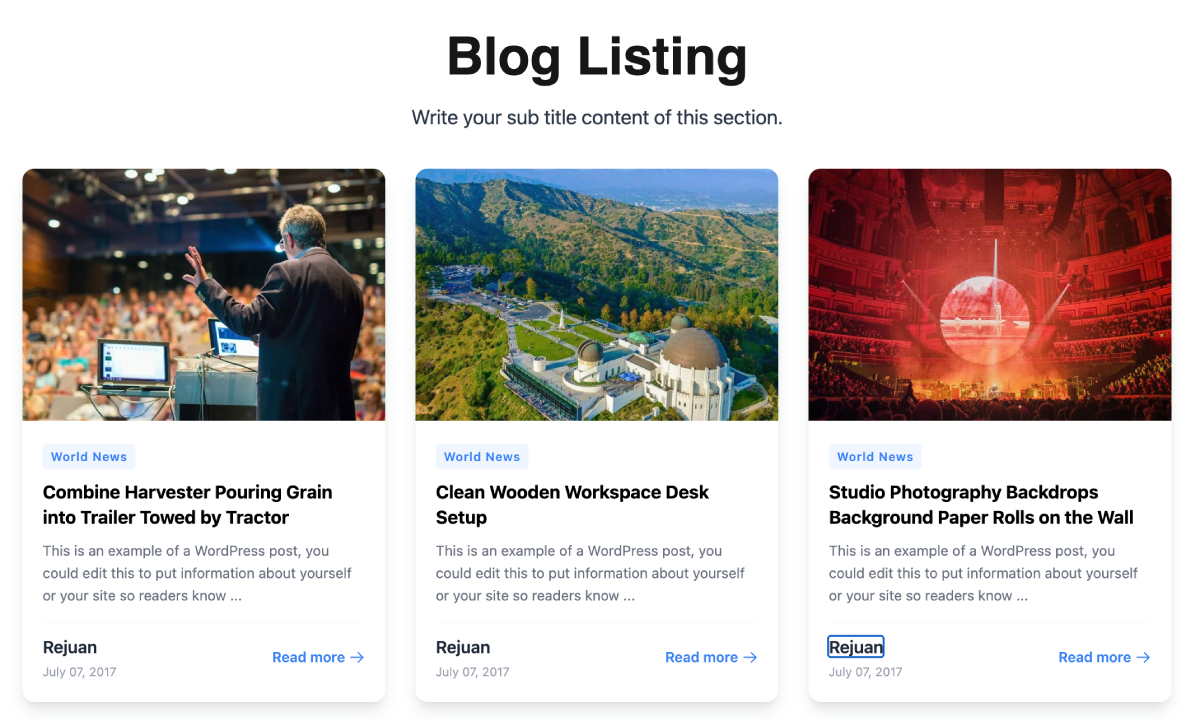
- Card Block – Display content in clean, stylish card layouts — great for services, features, or blog highlights
- Feature Block – Highlight your key features or services with icons, titles, and descriptions
- Hero Video – Capture attention instantly with a full-width hero section powered by background video
- Image Compare – Let visitors interactively compare two images with a drag-to-reveal slider
- Photo Gallery – Create beautiful, responsive photo galleries with lightbox support
- Post Block – Display your latest posts or custom post types in a customizable grid or list layout
- WooCommerce Category Grid – Showcase your WooCommerce product categories in an elegant grid
- WooCommerce Product List – Display WooCommerce products in a flexible, filterable list or grid
✨ Why ZepBlocks?
- Beginner-friendly – Drag, drop, and customize without any coding knowledge
- Developer-friendly – Clean, well-structured code that’s easy to extend
- WooCommerce ready – Built-in blocks for WooCommerce category and product display
- Lightweight – Only loads assets for blocks that are actually used on the page
- Theme compatible – Works with any WordPress theme, including Full Site Editing (FSE) themes
- Regularly updated – New blocks added frequently based on user feedback
- 100% Free – No upsells, no pro version, no limitations
🚀 Getting Started
- Install and activate ZepBlocks
- Open any post or page in the WordPress block editor
- Click the + icon to add a new block
- Search for any ZepBlocks block by name
- Customize using the block settings panel on the right
🛠️ For Developers
ZepBlocks is built using the @wordpress/scripts toolchain with React and modern JavaScript. All blocks follow WordPress coding standards and are fully compatible with the block editor’s extensibility APIs.
Found a bug or want to contribute? Visit our GitHub repository.
Screenshots
ZepBlocks full block library inside the Gutenberg editor 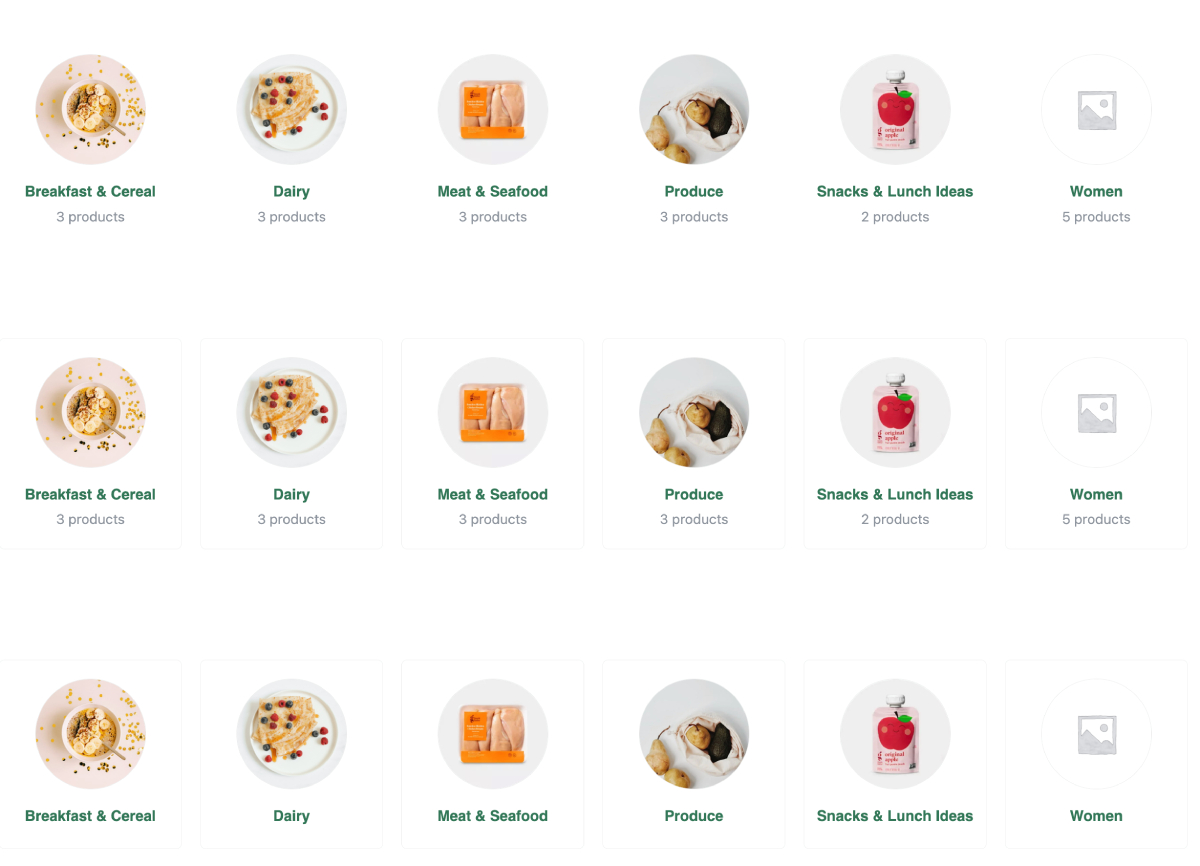
Zepblock Slider block with customization options 
Hero Video block displayed on the frontend 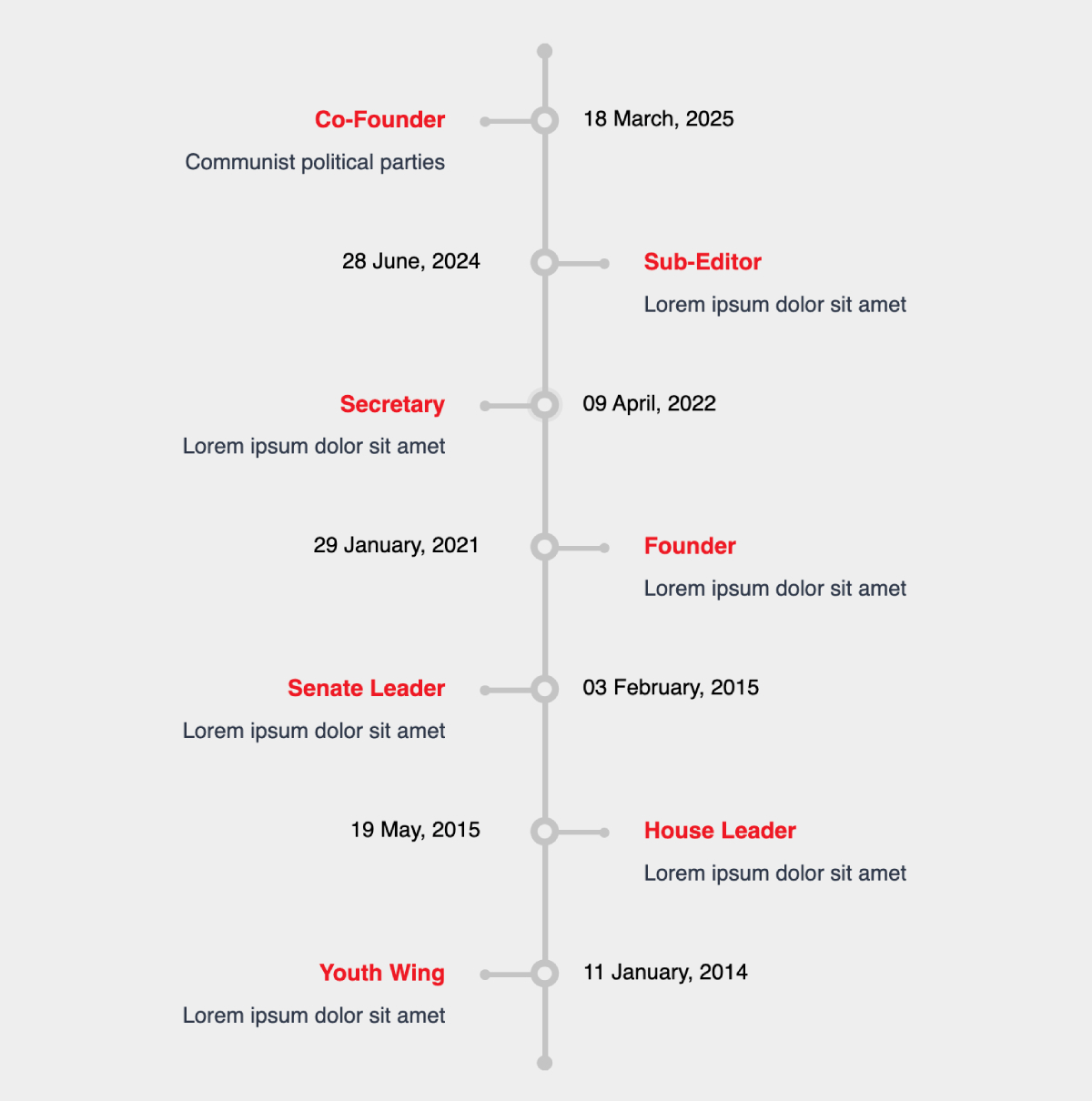
Image Compare block with drag-to-reveal interaction
Blocks
This plugin provides 10 blocks.
- Zepblock Slider A beautiful slider block with animations and slick slider
- Feature Block Display features/services with icon, title and description
- Image Compare Compare two images with an interactive slider
- Zepblock Product List Display WooCommerce products in a beautiful grid layout
- Post Block Display posts with customizable layout
- Zepblock Timeline A beautiful vertical timeline block with alternating left/right items
- Photo Gallery Beautiful responsive photo gallery with lightbox popup and navigation
- Woo Category Grid Display WooCommerce product categories in a beautiful grid layout
- Card Block Beautiful card layout with image, tag, title, excerpt, author and button
- Hero Video Display a hero video with overlay content
Installation
- Go to Plugins > Add New in your WordPress dashboard
- Search for ZepBlocks
- Click Install Now, then Activate
Or manually:
- Download the plugin zip file
- Go to Plugins > Add New > Upload Plugin
- Upload the zip file and click Install Now
- Activate the plugin= Minimum Requirements =
- PHP version 7.4 or greater
- WordPress 5.9 or greater
Automatic Installation
- Log in to your WordPress dashboard
- Navigate to “Plugins” > “Add New”
- Search for “ZepBlocks”
- Click “Install Now” and then “Activate”
Manual Installation
- Download the zepblocks.zip file
- Go to Dashboard > Plugins > Add New
- Click “Upload Plugin”
- Select the zepblocks.zip file and click “Install Now”
- Activate the plugin
FAQ
-
Does ZepBlocks work with my theme?
-
Yes! ZepBlocks works with any WordPress theme, including classic themes and modern Full Site Editing (FSE) themes.
-
Do the WooCommerce blocks require WooCommerce to be installed?
-
Yes. The WooCommerce Category Grid and WooCommerce Product List blocks require WooCommerce to be installed and activated. All other blocks work independently without WooCommerce.
-
Will ZepBlocks slow down my website?
-
No. ZepBlocks uses smart asset enqueuing — it only loads the CSS and JavaScript for blocks that are actually used on a given page.
-
Is ZepBlocks really free?
-
Yes, 100% free. There is no pro version or hidden upsell. All blocks are fully available at no cost.
-
Can I use ZepBlocks with Elementor or other page builders?
-
ZepBlocks is built exclusively for the WordPress Gutenberg block editor and is not compatible with classic page builders like Elementor or WPBakery.
-
How do I request a new block?
-
You can submit block requests via the WordPress.org support forum or our GitHub repository.
Reviews
There are no reviews for this plugin.
Contributors & Developers
“ZepBlocks” is open source software. The following people have contributed to this plugin.
Contributors
Translate “ZepBlocks” into your language.
Interested in development?
Browse the code, check out the SVN repository, or subscribe to the development log by RSS.
Changelog
1.0.0
- Initial release
- 10 blocks included: Zepblock Slider, Zepblock Timeline, Card Block, Feature Block, Hero Video, Image Compare, Photo Gallery, Post Block, WooCommerce Category Grid, WooCommerce Product List